Tampilkan postingan dengan label CD And DVD Tools. Tampilkan semua postingan

Minggu, 04 Maret 2012

CD and DVD Data Recovery


CD and DVD Data Recovery | 581.22 Kb
It is an easy-to-use tool to recover corrupted file from CD and DVD, It fast scans disk sectors, rescues the damaged files and copies the correct data to hard disk as possible as it can.

The program is especially effective for corrupted digital multimedia files, audio, video, image files, MPEG, AVI, RM, MP3, JPEG etc, and for damaged document and text files. It supports many types of optical disk such as CD-ROM, CD-R, CD-RW, DVD-ROM, DVD-R, DVD-RW and file systems such as ISO9660 and UDF.


http://www.mediafire.com/?4602ljdo29kho6g 
Password Mediafire :

andystonecold

Ashampoo Burning Studio 10.0.15


Ashampoo Burning Studio 10.0.15 | 102.33 Mb 
 
Ashampoo Burning Studio 10 is a major update that improves almost every aspect of the program, adding many new features and capabilities in every part of the program. It also introduces a new Movie Editor for editing and combining your videos before burning them to DVD.

The Movie Editor has functions for cutting, transitions, fades, subtitles, titles and more, plus a point-and-click DVD menu editor with animated themes for creating great-looking interfaces for your DVD movies. The new version also packed with improvements, new features and fine tuning that make all Burning Studio’s functions more powerful and even easier to use.

Anyone who has ever struggled with complicated disc burning software is always amazed when they try Ashampoo Burning Studio. This is how software should be: Instead of studying complicated manuals you just choose what you want to do and then follow the instructions displayed on the screen.

For example, to make a DVD you select Create a Video DVD and the program guides you through the steps of adding clips, building menus and burning the disc. This doesn’t mean the program has been “dumbed down”: Burning Studio is a complete and powerful disc burning suite that also satisfies advanced users with all the tweaking features you expect from less accessible programs.

Features :
• Burn and update data to CD, DVD or Blu-ray discs
• Back up your data to single or multiple discs
• Rip music from CDs and burn music to audio CDs and MP3 or WMA discs
• Burn movies and photos to DVDs and data discs
• Movie editor with DVD authoring
• Create high-quality DVD slideshows
• Copy CDs, DVDs and Blu-ray discs
• Create and burn disc images
• Quick and easy erase rewriteable discs
• Expert burn functions for full control
• Create covers and labels

Theme Pack Keys:
  • 3310AT-77AY17-4G78A1
  • 3310AD-771Q4B-LJRD0T
  • 3310A2-77WA2E-TCVD7L
  • 3310A5-77CX3B-I2TFF7
  • 3310AG-77PJ19-LSHBBS
 
 
http://www.mediafire.com/?a1uh0pkch82k16d
Password Mediafire :
andystonecold

Roxio Burn 1.8.38.5


Roxio Burn 1.8.38.5 | 31.84 Mb
 
Roxio delivers the industry’s best and easiest tools for burning CDs, DVDs and Blu-ray discs. The new, handy Roxio Burn desktop widget lets you easily drag and drop files for burning or copying right on your desktop.The final disc will be compatible with almost anyWindows computer!

Features :
* Drag and drop files directly to a recordable CD, DVD or BD
* Process, format, and burn in one easy step
* Save files and folders to your recorder drive
* Share and transfer information inexpensively and quickly 

http://www.mediafire.com/?3zt18m8ttjlqcd4
Password Mediafire :
andystonecold 

Power ISO 4.7 + Keygen


Power ISO 4.7 + Keygen | 4 Mb
PowerISO is a powerful CD/DVD image file processing tool, which allows you to open, extract, create, edit, compress, encrypt, split and convert ISO files, and mount these files with internal virtual drive. It can process almost all CD-ROM image files including ISO and BIN.

* Support almost all CD/DVD-ROM image file formats(ISO, BIN, NRG, CDI, DAA and so on).
Note: DAA(Direct-Access-Archive) is an advanced format for image file, which supports some advanced features, such as compression, password protection, and splitting to multiple volumes. It can be handled directly just like other formats, such as ISO, BIN, ...

* Support both 32-bit and 64-bit Windows.

* Open and extract ISO File.

* Create ISO file from hard disk files or CD/DVD-ROM.

* Edit an existing ISO file directly.

* Convert image files between ISO/BIN and other formats. PowerISO can convert almost all image file formats to standard ISO format file.

* Make bootable ISO file, get boot information from bootable ISO file.
* Make floppy disk image file.

* Optimize files to save disk space while saving ISO file.

* Mount ISO file with internal virtual drive. You don't need install any other virtual drive software.

* Can be used easily. PowerISO supports shell integration, context menu, drag and drop, clipboard copy paste...

* Windows 98 / Window Me / Windows 2000 / Windows XP / Windows 2003 / Windows Vista / Windows 7 operating system or above.

* Intel Pentium 166MHz or above.

* 64MB memory.

* At least 10MB hard disk space.

http://www.mediafire.com/?188zufmhncu0anc
Password Mediafire :
andystonecold

PowerISO v4.8 Premium


PowerISO v4.8 Premium | 3.9 Mb
PowerISO is a powerful CD/DVD/BD image file processing tool, which allows you to open, extract, create, edit, compress, encrypt, split and convert ISO files, and mount these files with internal virtual drive. It can process almost all CD/DVD/BD image files including ISO and BIN.

Features :
  • Support almost all CD/DVD/BD-ROM image file formats(ISO, BIN, NRG, CDI, DAA and so on).
  • Note: DAA(Direct-Access-Archive) is an advanced format for image file, which supports some advanced features, such as compression, password protection, and splitting to multiple volumes. It can be handled directly just like other formats, such as ISO, BIN, …
  • Support both 32-bit and 64-bit Windows.
  • Open and extract ISO File.
  • Create ISO file from hard disk files or CD/DVD/BD-ROM.
  • Edit an existing ISO file directly.
  • Convert image files between ISO/BIN and other formats. PowerISO can convert almost all image file formats to standard ISO format file.
  • Make bootable ISO file, get boot information from bootable ISO file.
  • Optimize files to save disk space while saving ISO file.
  • Mount ISO file with internal virtual drive. You don’t need install any other virtual drive software.
http://uploadfa.com/z9ftkh3iuqmr
Password Uploadfa :
softwaremediafire.blogspot.com

Nero Burning ROM 10.5.10300 Full


Nero Burning ROM 10.5.10300 Full | 74.92 Mb
 
Drag & drop burning – Burn your content to CDs, DVDs and Blu-ray Discs with the click of a mouse.

The bigger, the better – Nero DiscSpan lets you burn large compilations across multiple discs and even disc types, all in one session.

Mix it up – Burn both audio and data files onto one disc in the same session using Mixed Mode.
Flawless copies – Make multiple, high quality copies of your home videos on DVD or Blu-ray Disc or copy to your hard drive storage with just a few clicks.

Rip your tunes – Automatically encode files when ripping audio CD files to hard drive for playback on MP3 players.

Secure your stuff – Make your burned content last with SecurDisc, the Nero-exclusive technology that helps ensure disc readability regardless of scratches, age or deterioration.

Privacy, please – Add government-level personal password encryption to your discs to allow exclusive access and create digital signatures to verify file versions and data authenticity.

Windows compatibility – Windows context menu support for burning, copying and disc information.

Say goodbye to hardware – Secure Disc is included with every burn, and is now compatible with all recorders. 
 
 
http://www.mediafire.com/?qr3365qj3rbrdi1
Password Mediafire :
andystonecold

UltraISO Premium Edition 9.3.6.2766


UltraISO Premium Edition 9.3.6.2766 | 3.65 Mb
Along with large capacity hard disk popularity, people were already used to coping compact discs to CD/DVD image files (also called compact disc image document) , generally used is the famous ISO 9660 international standards format, therefore CD/DVD image files are called ISO files.

Here are some key features of "UltraISO Media Edition":
· Can directly edit the ISO image file.
· Can directly extract files and folder from ISO image file
· Can add / delete /create new directory /rename ISO file image content.
· Can make ISO file from hard disk document.
· Can create CD image from CD/DVD-ROM, maintain bootable information.
· Can process the compact disc boot information, you can directly add/remove/extract boot image of the ISO image.
· Supports nearly all known CD image file formats (.ISO, .BIN, .IMG, .CIF, .NRG, .BWI and so on) , and converts them to the standard ISO form image.
· May directly set the file/folder to hidden attribute
· Supports ISO 9660 Level1/2/3 and Joliet extension
· Automatically optimizes the ISO image file structure, saves the CD space.
· Supports the shell document type integration, Open Image files through double clicking them or the Right Click menu of the mouse with the open dialog.
· The double window user interface is extremely convenient to use.
· There are rich add-on tools, you can create ALL in 1 bootable compact discs, CD image file management, even the virtual CD/DVD drive , those functions are really powerful.
http://www.mediafire.com/?n3wmz8d4qq7jget
Password Mediafire :
andystonecold

Ashampoo Burning Studio 11.v11.0.4


Ashampoo Burning Studio 11.v11.0.4 | 174.4 Mb
Ashampoo Burning Studio is the all-round tool for all CD, DVD and Blu-ray disc burning tasks. The main focus of this faster, more powerful premium version is even better authoring capabilities for building video and audio discs using the latest formats.

HD and Full HD video are now fully supported for Blu-ray discs, and all the encoding is handled by Ashampoo Burning Studio. The new integrated editor creates DVD and Blu-ray video discs with automatically generated or self designed menus.

Each menu page can use a different theme and background music. The new Autoplay Editor enables the user to build data discs with interactive, multi-page menus that start automatically. The menus for example include links to files or web pages.

It is also possible to create auto-starting discs without menus. Audio files and audio CDs are played directly from within Ashampoo Burning Studio.

Features :
  • Burn files and folders to CD/DVD/Blu-Ray and add files and folders to existing discs
  • Multi-disc file backup and restore on CD/DVD/Blu-Ray with compression and password protection
  • Create VideoCDs and Super VideoCDs
  • Rip music from audio CDs to MP3, WMA and WAV files
  • Create audio CDs from WAV, MP3, FLAC, WMA and Ogg Vorbis files
  • Create MP3 or WMA CDs, DVDs and Blu-Ray discs or just copy music to CD, DVD or Blu-Ray
  • Copy CDs, DVDs and Blu-Ray discs
  • Create and burn disc images for CD, DVD and Blu-Ray
  • Quickly erase any rewritable media
  • Store disc images larger than 2GB on FAT32 file systems
  • Interactive troubleshooting assistant for solving hardware and media problems
  • Save project files so that you can burn the same discs again later.

Xilisoft Media Toolkit Ultimate 7.0.1 Build 1219


Xilisoft Media Toolkit Ultimate 7.0.1 Build 1219 | 158.42 Mb
5 powerful programs in one pack: DVD Ripper Ultimate, Video Converter Ultimate, DVD Copy Express, DVD Creator and Audio Converter Pro – Xilisoft Media Toolkit Ultimate helps you rip or convert DVD movies and various video formats (include High Definition videos), copy and backup your DVD movies, create DVD from various files and even rip, convert and burn music to CD from audio files.

Xilisoft Media Toolkit Ultimate covers virtually all multimedia device formats! You can now enjoy DVD movies, videos and music on your PSP, PS3, iPod, iPhone, Apple TV, Zune, Archos, mobile phone or any MP4/MP3/DVD/CD players.

Now you can do almost every multimedia ripping, converting and burning imaginable. Convert, copy, create, rip and burn to your heart's content with Xilisoft Media Toolkit Ultimate!

Main Functions :

Rip DVD to Nearly All Video and Audio Format
Rip DVD to AVI, MPEG, WMV, MP4, RM, MOV, 3GP, VOB, FLV, MP3, WMA or any other popular video and audio formats for playback on different multimedia players.
Convert video

Convert Various Video, Audio and Picture Formats
Convert between HD and general videos like AVI, MPEG, WMV, MP4, H.264/AVC, MOV, MKV, AVCHD, and 3GP; convert pictures to videos; convert video to audio. Now support 3D.
Copy DVD

Copy, Clone, Backup and Burn DVD
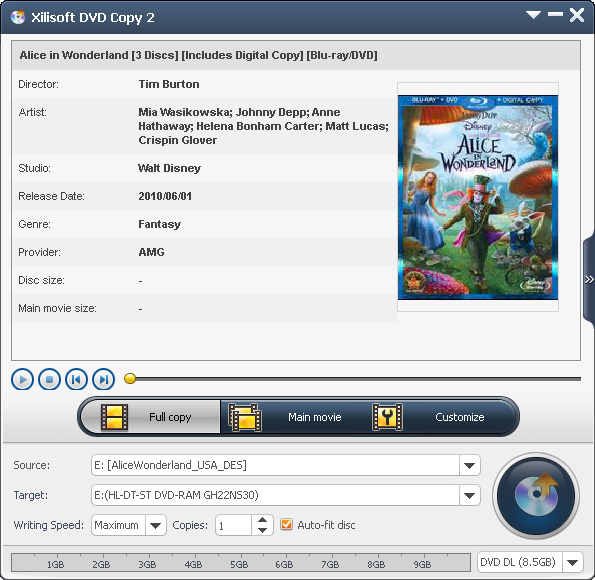
Clone DVD movies while preserving the 1:1 ratio; back up DVD-9 to DVD-5 disc; copy DVD movie to ISO file or DVD folder and vice versa; back up DVD to hard disk.
Burn video files to DVD movie

Create DVD from Multiform Videos
Burn video files (AVI, MPEG, WMV, DivX, and MP4) to DVD movie with personalized DVD menu.

Convert Between Audio Files, Rip and Burn CD
Convert audio files like MP3, WAV, and WMA; rip CD to MP3, M4A, WAV, and WMA; burn music CD from MP3, WMA, WAV, AAC and numerous other audio formats.

Key Features :

General Video, Audio, and Picture Format Support
Rips, converts and burns nearly all video, audio and picture files - AVI, MPEG, WMV, DivX, MP4, H.264/MPEG-4 AVC, RM, MOV, XviD, 3GP, FLV, MP2, MP3, WMA, WAV, RA, M4A, AAC, AC3, OGG, JPG, PNG, BMP, and GIF.

HD Video Support
Supports decoding and encoding a wide range of HD video formats - H.264/AVC, MKV, AVCHD (MTS, M2TS), HD Quick Time, HD MPEG2 (TS), HD MPEG-4 TS, HD WMV, and DivX.

Various Multimedia Devices Supported
No need to worry about the compatibility of files and multimedia devices: PSP, PS3, iPod, iPhone, Apple TV, Zune, Archos, Creative Zen, mobile phone, MP4/MP3 players, portable or home DVD/CD players.

Batch Conversion and Multithreading
Automatically detects and supports your CPU for dual-core or multi-core processors to maximize the conversion process.

Clip, Merge and Split
Create custom files from ripping or converting videos - Clip any segment from the source file; merge several small files into one; split one file into several files.

Edit Video Settings
Personalize videos - crop video frame size; change video effect; attach text or picture watermark; add soundtracks; add subtitles while creating DVD movie.

A Variety of Output Settings
Customize video output - Adjust codec, bit rate, frame rate, and sample rate; add background picture and music and topic to personalize DVD menu; edit ID3 tag to categorize video and music files.

User-Friendly Interface
Program interface is clear and intuitive, and all the settings and buttons are easy to recognize and understand.
Related Posts Plugin for WordPress, Blogger...